It was the PRAM
Last week I bought another Kingston 96GB SSD drive from Newegg. This was my second SSD from Kingston. I’ve had a great experience with the first one so I figured why not get another, plus the price was good… pretty much $1 per GB.
Anyway, I had a nightmare getting this installed on my new 2011 MBP 15”. First I tried to clone the old HDD with the new SSD using the Acronis utility software that came with my first SSD. That didn’t work because it didn’t recognize the OS X partition. Then I tried to use Disk Utility to do a restore. Found out it won’t work because the original drive is 500GB while the SSD is only 96GB. So I get an error that says it won’t work because there’s not enough room. Then I tried to do a clean install onto the SSD after I installed it on my MBP, I kept getting an error.
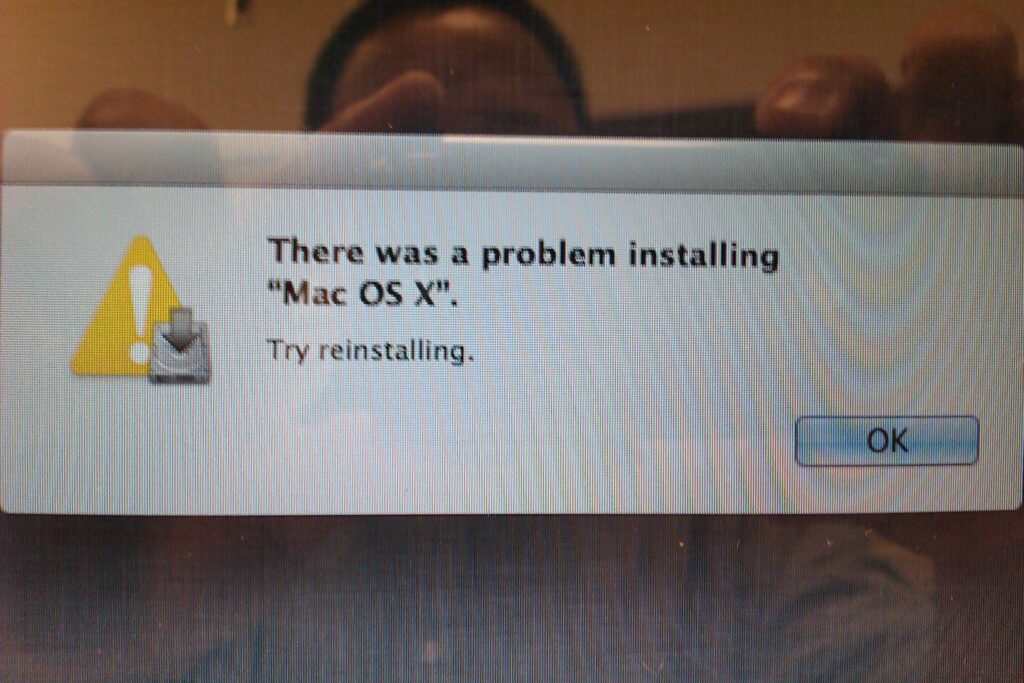
It reminds of the errors I’d get using Windows. You know, the short and sweet ones that don’t explain anything.
The next thing I did was I put the SSD into a USB enclosure then plugged it into my iMac. I was able to install Lion 10.7 on there so that tells me the DVD isn’t messed up and the SSD drive is working. With Lion finally installed, I installed the SSD back on my MBP and it ran weird and slow. I tried to do a clean install again, and again the error (There was a problem installing “Mac OS X”. Try reinstalling.).
I finally Googled the error and found people resetting their PRAM (hold Option+Command+P+R while your Mac boots up… let go once it restarts). This fixed the issue and I was able to do a clean install… finally.
I have installed Lion using a DVD and a pen drive. The DVD install took 30-40 minutes while the USB pen drive took 1.5 hours. It’s weird but that’s what I got. Maybe my pen drive sucks. My guess was the USB install would’ve been quicker but I was wrong.
Now my 2nd Gen i7 with 8GB of ram is using SSD (SATA2 – 3Gbps). It’s running great. Once the SATA3 SSDs become more affordable, I may upgrade again.
Thanks for this post. I was installing an upgraded HDD as well and spent the better part of the day trying to figure out why I was getting this error message. Even applecare didn’t think to reset the PRAM. But after finding this post I tried that and it installed perfectly immediately after.Thanks!