My new Linksys E2000 Router
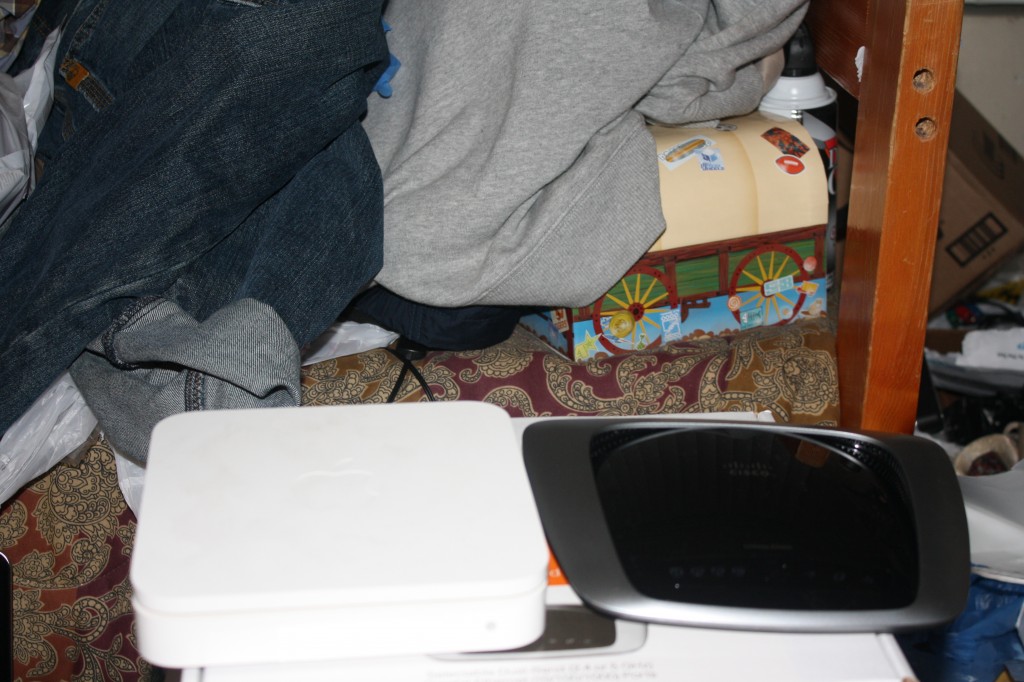
I was using an Apple Extreme Base Station for a few years now. It’s the model right before they added the gigabit ethernet support but it does have wireless N. There were several things I hated about this router. The one thing I just can’t stand is it has to reboot every time you make any changes. I’ve owned other routers from Linksys, Netgear, and Belkin prior to this router and they never rebooted nor took a long time to apply changes. I use Mac address filtering so whenever a new device is introduced to the network, I have to make this change. In order to do so, anyone who is connected will be disconnected because it has to reboot.
After doing some research I found the Linksys E2000. It does everything I need it to do. Comparing it to my old Apple router, it has more ethernet ports (4) and supports gigabit speed. It’s fast when you make changes and the Cisco Connect software is compatible with OS X. Another great feature is it has a guest mode where it has a separate connection for guest devices. Guest devices can access the internet but will not have access to your LAN. Great feature, but for now I have it disabled. I still have to check how far that signal reaches. I don’t want anyone camped outside leeching off my internet.
The installation is simple. Only problem I had was with the software trying to connect to the router after I had changed the default settings. Turns out the version of the software was old. Linksys has a support chat system and they were able to direct me to the latest version of the software. After I installed the newer version, I was up and running.
I picked up a factory refurbished version. I figured it’s half the cost and should work as well as a new one. There are certain brands I don’t concern about quality even though it is refurbished, and Linksys is one of them. I’ve always had great experiences with their products. It’s a big savings compared to the $180 I originally paid for the Apple router (never again). A brand new E2000 will run $80 and up.
The only thing I lose from the Apple router is the USB port. Actually I won’t miss it at all. I hardly used it. What you can do with it is attached a USB printer to share or a hard drive. I have 2 wireless printers on the network and a Terrastation NAS box… problem solved!
So far it has been doing its job. The signal seems a bit stronger too and does not interfere with other wireless devices. Here are some pics.