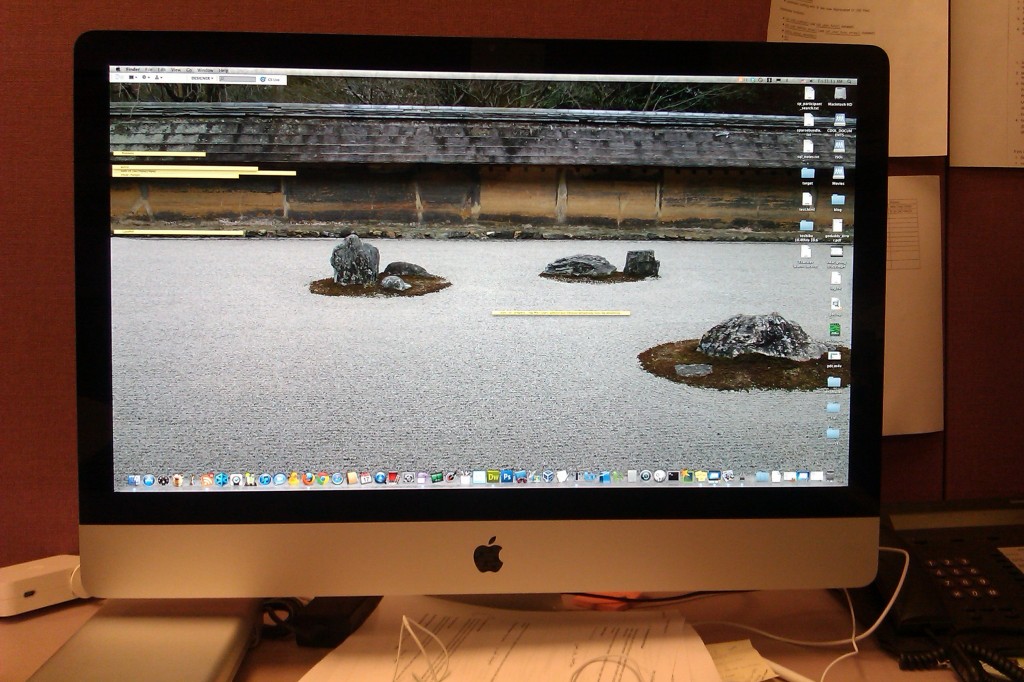
My new iMac 27″ i7 MC814LL
My work was kind enough to replace my aging 24” iMac (MA456LL) with a new 27” iMac (MC814LL). It’s a huge difference, not just screen size but performance as well. I’m coming from a Core 2 Duo processor to Intel’s i7 Quad Core Sandy Bridge. This has Hyper Threading so I get up to 8 threads. It’s very nice and fast. I’ve been able to run multiple Virtualbox VMs without slowing down.
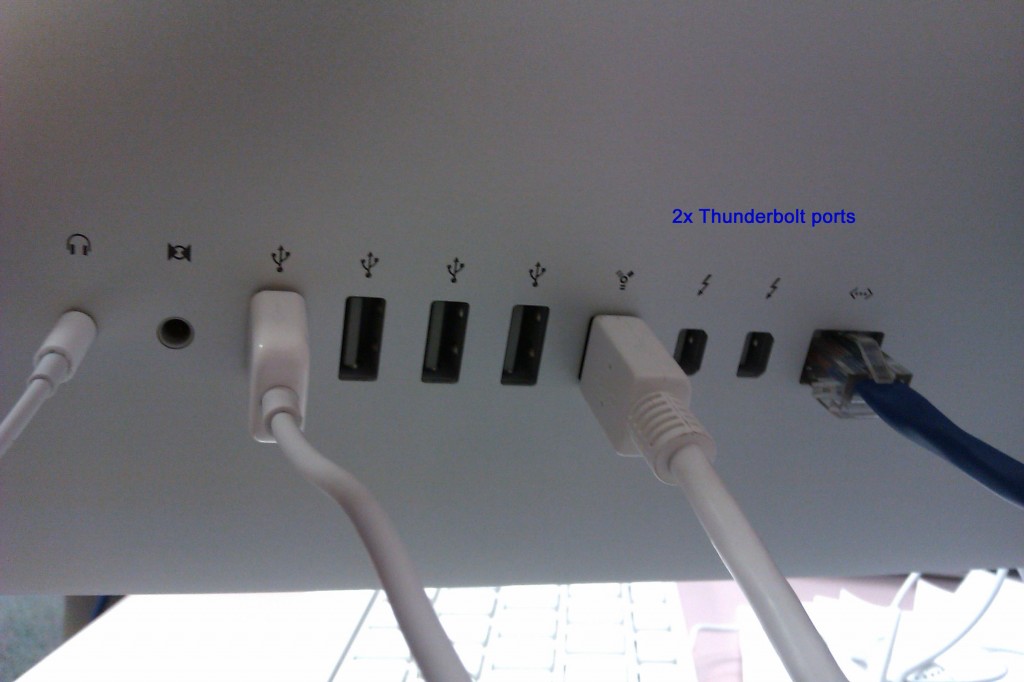
This is the latest version of the Apple iMac line (Spring 2011) and comes with 2 Thunderbolt ports – which I don’t have any compatible devices to play with. The have removed support for Firewire 400 which I thought was not a good move. I still have devices using that port. I can still use it with a Firewire 400 to 800 cable. They should have at least added USB3.0 support but of course Apple doesn’t like using mainstream ports (also no support for eSATA or Bluray). Oh well, that’s Apple for you. I also have to replace my mini DV cable if I want to use a secondary monitor. An SDHC card reader available on the right side. This is a great addition, consider my Macbook Pro 13” has it, it’s another way to transfer files between devices. It’s also convenient pulling images off my camera if needed.
Here’s a screenshot of the About this Mac.

As you can see, it comes with an 8GB ram running at 1333. My desktop at home (PC clone) with the same CPU is running 16GB at 1600MHz. I’m not sure if it will recognize the 1600MHz, but the great thing about my desktop at home is I can overclock the ram and CPU if i choose to – which is one of the limitations of Apple hardware.
Here is a screenshot of the details on the ram. As you can see, there are 4 total slots and can go as high as 16GB.
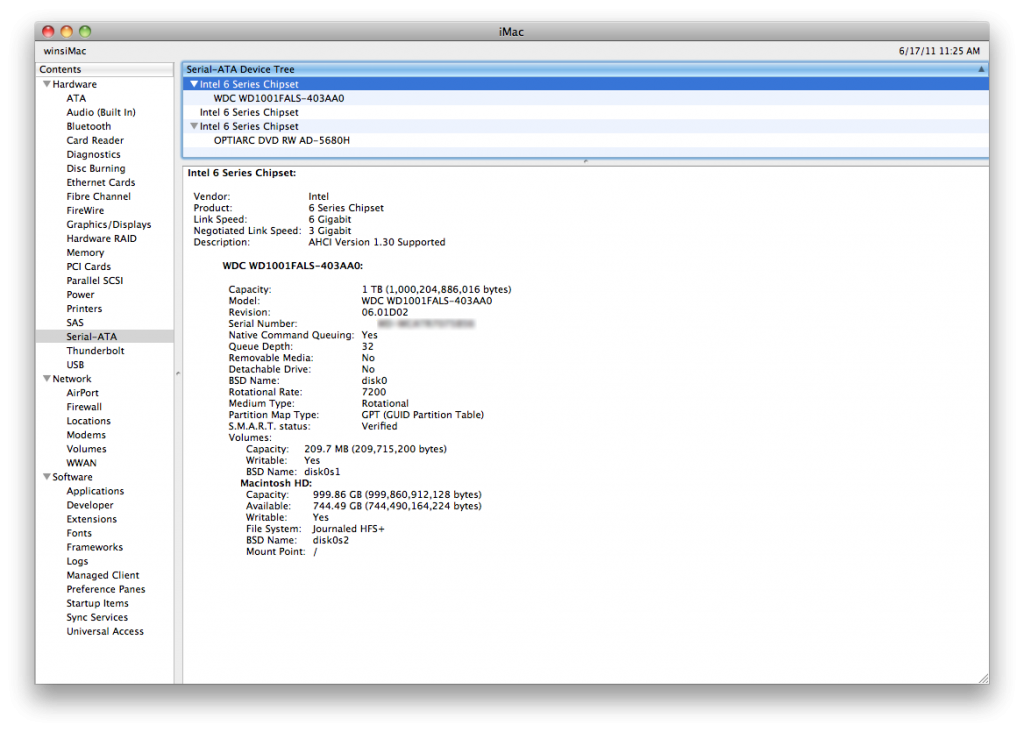
This iMac comes with an AMD Radeon 6970M 1GB video card. Based on the System Profiler, it’s running on the x16 slot and has a maximum resolution of 2560×1440. As with all iMac design, it isn’t something that can be replaced and upgraded. Notice the “M” on the model number. That stands for Mobile which is the same type of card you’ll find on laptops and is embedded on the motherboard.
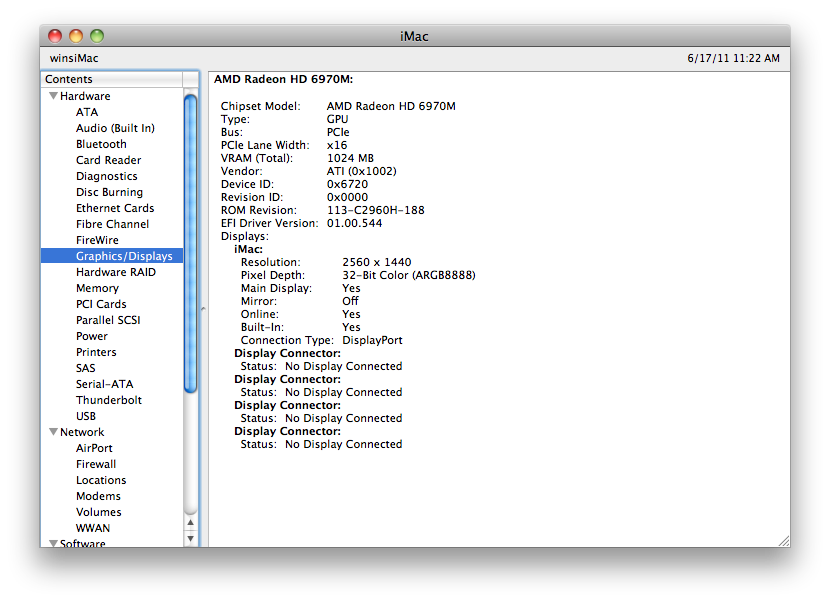
The iMac is configured to have a 1TB hard drive. It’s a Western Digital 7200RPM. Based on the model number it’s a Caviar Black with 32MB cache. Not bad at all. The System Profiler also reveals that the max speed supported is 6Gbps – so it can use SATAIII drives. The drive it currently has is SATAII – 3Gbps.

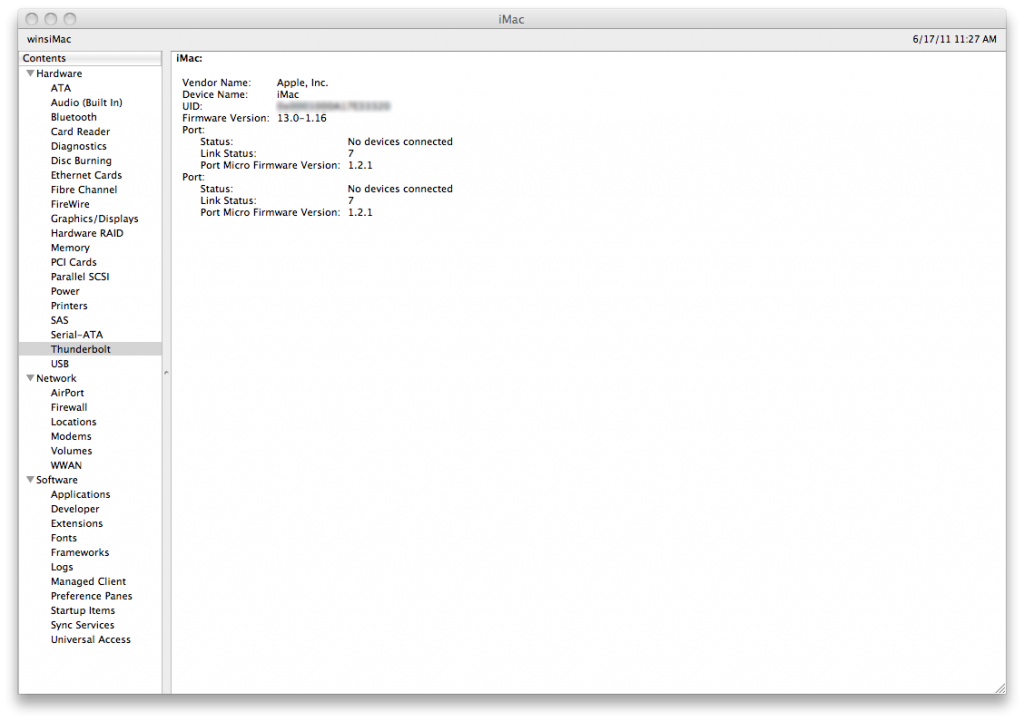
I don’t know much about the the Thunderbolt ports nor do I have any devices I can plug in it. So I’ll just post the screenshot of its section in the System Profiler.
Using Geekbench I got a score of 11809. The free version only runs in 32bit. I’m not sure if there’s a big difference if it’s running in 64bit. You can check the details here…http://browse.geekbench.ca/geekbench2/view/426677. I also ran Geekbench on my old iMac and got a score of 3210. It’s almost 4x faster but keep in mind, it’s a Core 2 Duo with no Hyper Threading and 4GB ram plus it’s slower ram. You can check out the details here… http://browse.geekbench.ca/geekbench2/view/426690.
Dear Sherwin,I see you have been lucky to have have your “aging 24″ iMac (MA456LL)” replaced. I however have been extremely unlucky by loosing my installation disks for my iMac (MA456LL). Since I would like to make bootable backups of my iMac, I have been desperately trying to find replacement restore CDs on internet. The only place they seem to be found, are on various torrent pages, which I don´t consider an option. Consequenly I am asking you: Would you please consider selling your MA456LL installation CDs, or making copies of them and selling them to me?Kind regards,Greta Soderlund
hi greta, unfortunately it’s my work’s iMac and the IT department has the restore CDs… i don’t have access to them. apple isn’t as bad as windows when it comes to drivers because they both own the hardware and software. all you have to do is go to an apple store and purchase snow leopard – if it’s still available. you can use that DVD to boot off from and restore your iMac. there should be an option during installation called Archive and Install which will keep existing data and restore OSX. more information about this is on http://support.apple.com/kb/ht…. i would say to get Lion but if OSX is inaccessible, then you can’t get Lion because it’s only downloadable from the App Store at this time. hope that helps.
download the torrent – It’s a viable option. You bought the original iMac, which entitles you to possess the restore disks. It isn’t illegal to use bit torrent and download things if you own the license.